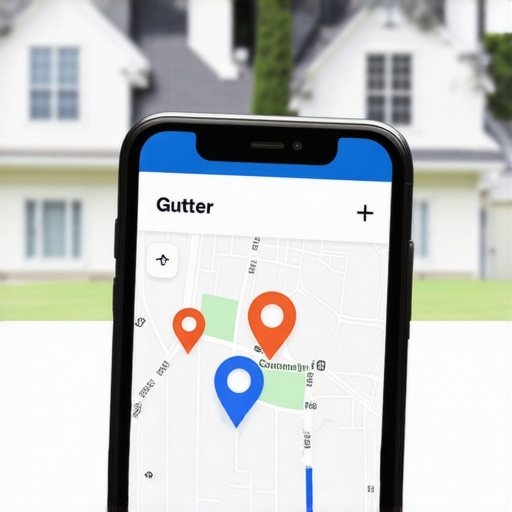
The Map Embed Trick That Proves to Homeowners Your Gutter Crew is Nearby
For gutter contractors, the battle for leads isn’t fought on a global stage; it’s fought in the three-block radius surrounding a homeowner’s leaking downspout. When a homeowner searches for “gutter repair near me” or “seamless gutter installation,” they aren’t just looking for the best price – they are looking for proximity. Proximity implies speed, local accountability, and a crew that knows the specific weather patterns of the neighborhood. However, for many service area businesses (SABs), proving to Google that your trucks are actually circling the local neighborhood is a constant struggle.
This is where the “Map Embed Trick” comes into play. It is a simple yet devastatingly effective digital “proof of presence” that signals to both Google’s algorithm and your potential customers that you are the local authority. By moving beyond basic contact forms and static addresses, and instead utilizing dynamic map embeds correctly, you can bridge the gap between being a “ghost” business and being the first name on the map. In this guide, we will break down how to leverage this trick to dominate your local market and ensure your gutter crew is the one getting the call.
Why Proximity is the #1 Factor in the Google Map Pack
To win at google business profile seo, you must understand the three pillars of local search: Proximity, Relevance, and Prominence. While you can influence relevance through keyword-rich descriptions and prominence through reviews, proximity is the most weighted factor – and often the hardest to control. Google wants to provide the most convenient solution to the user. If your gutter business is ten miles away but a competitor is two miles away, Google will naturally favor them unless your “prominence” signals are overwhelmingly stronger.
For gutter contractors, proximity presents a unique challenge. Unlike a retail storefront, your work happens at the customer’s home. Many contractors operate out of a home office or a warehouse that isn’t in the “center” of their service area. This makes it difficult to rank in the lucrative “Map Pack” for high-value suburbs. To combat this, you need to provide Google with as many localized signals as possible. Utilizing google business profile seo strategies involves more than just filling out your profile; it requires anchoring your digital presence to specific geographic coordinates.
Google’s algorithm uses a variety of signals to verify where you actually operate. They look at your business license address, the location data of your photos, and the geographic context of the websites linking to you. When you embed a Google Map on your site, you aren’t just adding a visual aid; you are creating a direct API connection between your website and the Google Maps database. This serves as a “verified” signal of your location, helping Google gain the confidence to rank you higher in the local map pack for those specific areas.
The “Lazy Way” vs. The “Right Way” to Embed a Map
Most gutter contractors make a fundamental mistake when adding a map to their website. They go to Google Maps, type in their city (e.g., “Chicago, IL”), and hit the “Embed” button. This is the “Lazy Way,” and it does almost nothing for your SEO. All you’ve done is tell Google that Chicago exists – something it already knows. This provides zero context about your specific business or its relationship to that city.
The “Right Way” involves embedding your specific Google Business Profile (GBP) listing. This creates a “Map Embed Trick” that ties your website’s authority directly to your map listing. Here is the step-by-step process to do it correctly:
- Search for your exact listing name: Go to Google Maps and type in your full business name (e.g., “Elite Gutter Works”). Do not just type your address.
- Verify the listing: Ensure the pin that appears is your actual verified GBP listing, complete with your reviews and business details.
- Click “Share”: On the left-hand panel, click the “Share” icon.
- Select “Embed a Map”: Choose the “Embed a Map” tab. You can select the size (Small, Medium, Large, or Custom).
- Copy the HTML: Copy the <iframe> code provided.
- Paste near your NAP: Place this code on your website, ideally directly adjacent to your Name, Address, and Phone number (NAP) text.
By embedding the listing specifically, you are pulling in your reviews, your star rating, and your business category directly onto your page. This creates a much stronger google business profile seo signal than a generic city map. For more details on how this specific tactic has changed the game for contractors, check out How the Maps Embed Strategy Finally Fixed Our Local Gutter Rankings.
Strategic Placement: Where to “Hide” Your Proximity Proof
Knowing how to embed the map is only half the battle. Knowing where to place it determines how much “SEO juice” you actually squeeze out of the tactic. You shouldn’t just dump a map on your homepage and call it a day. You need to distribute these signals across your entire site to create a web of local relevance.
The Footer
The footer is a global element, meaning it appears on every single page of your website. By placing a map embed of your main office or primary service hub in the footer, you are sending a constant, site-wide signal to Google about your location. This is a foundational step in any google maps ranking service strategy. It ensures that every blog post and service page is anchored to your physical location.
The Contact Page
This is the most obvious location, but it must be done right. Your contact page should have your map embed side-by-side with your NAP data. This creates a “Local Triple Threat”: the text-based address, the interactive map, and the schema markup in the backend. When these three things align, Google’s confidence in your location skyrockets.
City and Service Area Pages
This is the “Hyperlocal” move that separates the amateurs from the pros. If you are a gutter contractor in a major metro area, you likely serve 10 – 20 different suburbs. You should have a dedicated page for each major suburb (e.g., “Gutter Cleaning in Naperville”). On each of these pages, you should embed a map. However, don’t just embed your office location; embed a map that shows your service area or a map with driving directions from your office to that specific suburb. This proves you actually travel to and work in that area. For a deep dive on building these pages, see The City Page Blueprint That Puts Your Gutter Trucks in Every Local Search.
Guest Posts and Local Directories
SEO expert Shahid Anwar has often highlighted that embedding your verified GMB map in external guest posts provides “FREE SEO juice.” When you write a guest article for a local home improvement blog or get featured in a local news outlet, ask them to embed your map. This creates a high-authority backlink that is geographically anchored, which is a powerful way to rank google business profile listings higher than the competition. You can use local seo tools to identify these local opportunities.
Advanced Tactics: Driving Directions and Custom “My Maps”
Once you have mastered the basic embed, you can move into advanced tactics that further solidify your local authority. These tactics are designed to increase the “Relevance” and “Prominent” portions of the local algorithm.
Driving Directions Embeds
Instead of a static pin, you can embed a map that shows driving directions from a well-known local landmark to your business (or from your business to the center of a service area). For example, “Directions from the Local High School to Elite Gutter Works.” This forces Google to calculate the route, further proving the physical relationship between your business and the community. This is a subtle but effective way to use google maps seo tools to your advantage.
Google My Maps: The “Job Heat Map”
You can create a custom map using “Google My Maps” where you place pins for every gutter job you’ve completed in the last six months. Important: Do not use exact customer addresses for privacy reasons; use the street name or the general block. When you embed this custom “Heat Map” on your “Our Work” or “About Us” page, it shows a literal cluster of activity in your service area. It tells Google, “We don’t just claim to work here; look at these 50 jobs we did last month.” This is a massive signal for local map pack seo.
When you combine these custom maps with a solid internal linking structure, you create a powerhouse of local data. Make sure you are also auditing these signals regularly to ensure no broken links or outdated information is holding you back. You can learn more about these ranking signals in our guide: 7 Hidden Ranking Signals That Determine If Your Gutter Service Shows Up on Maps.
The Conversion Factor: Why Homeowners Click “Call”
While we talk a lot about “bots” and “algorithms,” the Map Embed Trick is just as much about human psychology as it is about SEO. When a homeowner lands on your page, they are looking for reasons to trust you. A map embed isn’t just a technical feature; it’s a transparency tool.
When a homeowner sees an interactive map, they often click it. They zoom in to see if you’re near their neighborhood. They see your 5-star reviews and your “Verified” badge right there on the map. This “screams” legitimacy. It shows that you aren’t a fly-by-night operation or a lead-gen site based in another country. You are a real business with real trucks and a real reputation in their town. If your profile is missing these trust signals, you might be wondering Why Your Gutter Business Profile Isn’t Generating High-Quality Leads.
The visual nature of the map also reduces the “friction” of the conversion process. If they can see your location and your recent photos of gutter installations in one glance, the decision to click the “Call” button becomes much easier. In the world of home services, the contractor who looks the most “real” and “local” usually wins the job, regardless of whether they were $100 more expensive than the “ghost” competitor.
Common Pitfalls That Kill Your Local Rankings
Even with the best intentions, it is easy to mess up your local SEO. If you implement the map trick incorrectly, you could actually confuse Google’s crawlers and hurt your google business profile ranking.
- Static Images: Never use a screenshot of a map. It provides zero data to Google. It must be an interactive <iframe> embed.
- NAP Mismatches: If the address on your website text is “123 Main St” but your map embed is for an old address or a slightly different variation (like “123 Main Street, Suite A”), it creates a “data conflict.” Google hates conflict. Ensure your NAP is identical to your GBP listing.
- Embedding Unverified Locations: Do not try to “game” the system by embedding maps for virtual offices or UPS stores. Google is incredibly good at identifying these, and it can lead to a permanent suspension of your profile.
- Overwhelming the Page: Don’t put five different maps on one page. It slows down your site speed, which is a ranking factor in itself. One well-placed, high-quality embed is better than a cluttered page.
To ensure your profile is healthy and free of these errors, it is worth using a google business profile audit tool to check for inconsistencies. For a quick DIY fix, you can also follow our 5-Step Checklist to Fix Your Gutter Business Profile and Land 5-Star Reviews.
Conclusion: Putting Your Gutter Trucks on the Digital Map
The “Map Embed Trick” is one of the most underutilized weapons in a gutter contractor’s SEO arsenal. It is a low-effort, high-reward tactic that provides the “proximity proof” that both homeowners and Google crave. By moving away from generic city maps and instead embedding your specific, verified Google Business Profile – and placing it strategically across your site – you anchor your business to the very neighborhoods you want to serve.
Remember, google business profile seo is a marathon, not a sprint. Consistency is key. Every map you embed, every review you generate, and every local city page you build adds another layer of “legitimacy” to your digital presence. If you’re ready to stop being a “ghost” and start dominating the local map pack, start with your map embeds today. If the process seems daunting, don’t hesitate to reach out to a google maps ranking expert to help you navigate the complexities of hyperlocal search optimization. Your trucks are ready to roll – make sure the homeowners in your area can actually find them.